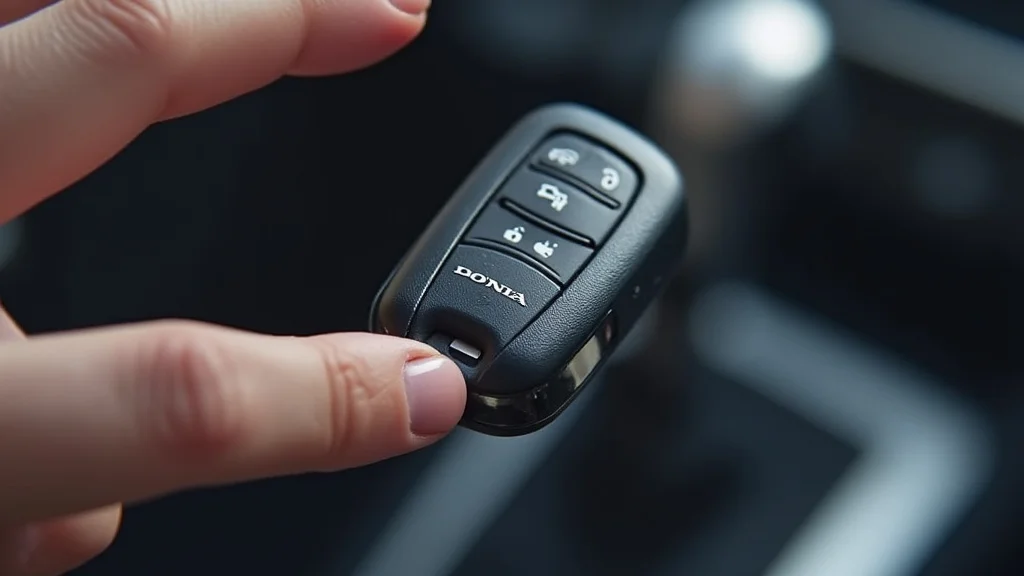
Picture this: you’re rushing to work, unlock your Honda, and. nothing. The key fob refuses to respond. It’s a frustrating situation we’ve all experienced or will eventually face. Fortunately, the solution is usually simple: replacing the battery. This guide will walk you through, step-by-step, exactly how to change a battery in a Honda key fob. You’ll gain the knowledge and confidence to fix this common problem yourself, saving time and money, and avoiding unnecessary trips to the dealership. Learn how to keep your Honda key fob working.
Prepare to Replace Your Key Fob Battery
Before you begin, gather your supplies. You’ll need a new battery (the specific type varies by Honda model, so check your owner’s manual or the current battery), a small flathead screwdriver or similar tool, and possibly a thin piece of tape to assist with the battery removal. A clean, well-lit workspace is also helpful to prevent losing small parts. Having these items ready ensures a smooth and efficient Honda key fob battery change.
Find the Correct Battery Type
The battery type for your Honda key fob varies depending on the year and model of your vehicle. The most common battery type is a CR2032 lithium coin cell battery. However, some key fobs might require a different type, such as a CR1616 or CR1620. You can usually find the battery type printed directly on your old battery, or it is specified in your car owner’s manual. Verify the correct battery type before purchasing a replacement to ensure compatibility. Using the wrong battery could damage your key fob.
- Check the Owner’s Manual: This is the most reliable source for the correct battery type. It provides specific details for your vehicle’s key fob.
- Look at the Old Battery: The battery type is typically printed on the battery itself. Match this information when purchasing a replacement.
- Visit an Auto Parts Store: An auto parts store can provide you with the correct battery and sometimes even offer assistance with the replacement process.
- Use an Online Battery Finder: Several websites allow you to input your car’s make, model, and year to determine the correct battery type.
Gather Your Tools
Once you know the battery type, gather the necessary tools. A small flathead screwdriver is the most common tool required. Ensure the screwdriver has a thin, narrow tip to fit into the key fob’s seam. A plastic pry tool can also be used to avoid scratching the key fob’s casing. Additionally, a soft cloth can be useful to protect the key fob during the process. Having these tools readily available will make the battery replacement process straightforward.
- Small Flathead Screwdriver: This tool is used to pry open the key fob.
- Plastic Pry Tool (Optional): Useful to avoid scratching the key fob case.
- New Battery: Always have the correct battery type on hand.
- Soft Cloth: For protecting the key fob.
- Gloves (Optional): To avoid fingerprints and protect your hands.
Safety First
Before starting, remember a few safety precautions. Work in a clean, well-lit area to prevent losing small parts. Handle the key fob and new battery carefully to avoid damage. Be gentle when prying open the key fob to avoid breaking the plastic casing. If you are unsure about any step, consult your owner’s manual or seek professional assistance. Prioritizing safety will ensure a successful and damage-free battery replacement.
- Work in a Well-Lit Area: This helps you see small parts and avoid losing them.
- Be Gentle: Avoid applying excessive force when opening the key fob.
- Handle the Battery with Care: Avoid touching the battery’s terminals with your bare hands.
- Keep Out of Reach of Children: Batteries can be dangerous if swallowed.
- Consult a Professional: If you feel uncomfortable, it’s best to ask an expert.
Open the Honda Key Fob
Now that you have your tools and are prepared, it’s time to open the key fob. This process usually involves prying the key fob apart along its seam. The exact location of the seam and the method of opening the key fob may vary slightly based on the specific Honda model. Be patient and use gentle force to avoid damaging the key fob. Learn how to successfully open your Honda key fob safely.
Locate the Seam
The seam is where the two halves of the key fob’s casing meet. It’s typically located around the edges of the key fob. Some key fobs have a small notch or indentation along the seam, which can be used to insert your screwdriver. In other cases, you may need to look closely to find the seam. The location of the seam can differ between Honda models, so examine your key fob carefully before attempting to open it. Find that seam on your Honda key fob.
- Examine the Edges: Run your fingers along the edges of the key fob to feel for the seam.
- Look for Notches: Some key fobs have small notches or indentations where you can insert a tool.
- Check the Owner’s Manual: Your owner’s manual may provide specific instructions on opening the key fob.
- Use a Bright Light: This will help you see the seam and any potential opening points.
Pry the Key Fob Open
Once you’ve located the seam, insert the flathead screwdriver or pry tool into the opening. Gently twist the screwdriver or pry tool to separate the two halves of the key fob. If you feel resistance, try a different spot along the seam. Avoid using excessive force, as this can damage the plastic casing. Work around the key fob, gradually opening it until the two halves separate. Proceed slowly and carefully.
- Insert the Screwdriver: Carefully insert the screwdriver or pry tool into the seam.
- Gently Twist: Twist the tool to start separating the two halves.
- Work Around the Edges: Continue working around the edges of the key fob until it opens.
- Be Patient: This process might take a few tries; be patient and avoid rushing.
Dealing with Sticking Key Fobs
Sometimes, the key fob can be difficult to open. If the key fob is sticking, don’t force it. Try applying gentle pressure to different areas of the seam. If it still won’t budge, double-check that you’ve located the correct seam. It is possible that the key fob’s casing is glued or fused together. If it is still impossible to open, consult your owner’s manual for further instructions or consider professional assistance. When you have this problem, consider the best approach.
- Check for Hidden Screws: Some key fobs might have hidden screws. Examine the key fob carefully.
- Apply Gentle Pressure: Try applying gentle pressure to different parts of the seam.
- Use a Different Tool: If the screwdriver isn’t working, try a plastic pry tool.
- Seek Professional Help: If you’re struggling, it’s best to consult a professional or a dealership.
Replace the Battery in Your Honda Key Fob
With the key fob open, replacing the battery is the next step. Carefully remove the old battery and insert the new one, ensuring the polarity is correct. Polarity refers to the positive (+) and negative (-) ends of the battery. Ensure the battery is positioned correctly to ensure your key fob works. Replacing the battery is simple once you have the key fob opened correctly.
Remove the Old Battery
Once the key fob is open, locate the battery. The battery is usually held in place by a small clip or retaining mechanism. Carefully remove the old battery, taking note of its orientation. Some key fobs might have a small plastic holder for the battery, making removal easier. Use your screwdriver or a small plastic tool to gently pry the battery out. Keep an eye on any small components that might fall out. Handle the old battery carefully.
- Locate the Battery Compartment: Identify where the battery is located within the key fob.
- Use a Tool (if necessary): If the battery is difficult to remove, use a non-metallic tool to gently pry it out.
- Note the Polarity: Remember the orientation of the old battery.
- Dispose of the Old Battery Properly: Dispose of the old battery according to local regulations.
Insert the New Battery
Insert the new battery into the key fob, ensuring the polarity is correct. The positive (+) and negative (-) terminals of the new battery should match the same orientation as the old battery. Most key fobs have markings or symbols indicating the correct polarity. Press the new battery firmly into place. If the battery is not inserted correctly, the key fob may not function. Insert the new battery with precision.
- Match the Polarity: Align the positive (+) and negative (-) terminals.
- Push the Battery into Place: Ensure the battery is securely seated in its compartment.
- Check the Functionality: After replacing the battery, check if the key fob is working.
- Double-Check the Battery Type: Make sure you have the correct replacement battery.
Troubleshooting Battery Replacement
If your key fob still does not work after replacing the battery, there are a few potential issues. First, double-check that the battery is installed with the correct polarity. Second, ensure that the battery type is correct for your specific key fob model. Finally, there may be an issue with the key fob itself, such as a faulty circuit board or other damage. Consider these ideas when troubleshooting.
- Double-Check Polarity: Make sure the battery is installed with the positive and negative ends correctly oriented.
- Verify the Battery Type: Confirm that you’ve used the correct battery for your key fob.
- Inspect the Key Fob: Examine the circuit board and other components for any visible damage.
- Check for Programming Issues: If all else fails, the key fob may need to be reprogrammed.
Close and Test the Honda Key Fob
Once you’ve replaced the battery, close the key fob. Carefully align the two halves of the casing and press them together until they snap shut. Ensure the key fob is securely closed and that all the parts are properly aligned. Once closed, test the key fob to ensure that it’s working correctly. This final step is important to ensure your Honda key fob functions properly.
Reassemble the Key Fob
Carefully align the two halves of the key fob and press them together. You should hear a clicking sound as the two halves snap back into place. Ensure there are no gaps between the two halves and that all the parts are properly aligned. Inspect the key fob for any signs of damage. Making sure the case is shut tightly protects the internal components of the key fob. Reassemble with precision.
- Align the Two Halves: Make sure the two halves are properly aligned before closing.
- Press Firmly: Apply pressure until the key fob snaps closed.
- Check for Gaps: Ensure there are no gaps between the two halves.
- Inspect the Key Fob: Look for any signs of damage after reassembly.
Test the Key Fob Functions
After reassembling the key fob, test its functions. Walk a few feet away from your vehicle and try locking, unlocking, and starting your car using the key fob. If the key fob works correctly, you’re done. If the key fob does not work, double-check that the battery is installed with the correct polarity and ensure you used the right type of battery. It is important to test your key fob after the battery replacement.
- Test Locking and Unlocking: Make sure the key fob locks and unlocks your doors.
- Test the Panic Button: Check if the panic button activates your car’s alarm.
- Test the Remote Start: If your key fob has remote start, test that feature.
- If the Key Fob Still Doesn’t Work: Reprogramming may be needed.
What to Do If the Key Fob Still Does Not Work
If your Honda key fob still doesn’t work after replacing the battery, there are a few more steps you can take. First, try reprogramming the key fob to your vehicle. The reprogramming process varies by Honda model, but it usually involves a specific sequence of button presses or ignition cycles. Check your owner’s manual for specific instructions. If reprogramming doesn’t work, there may be a problem with the key fob itself. Additional assistance may be needed.
- Reprogram the Key Fob: Try reprogramming the key fob to your car.
- Check the Fuse: Inspect the fuse associated with the key fob system.
- Contact a Dealership: If you’ve tried everything, consult a Honda dealership.
- Consider a Replacement: If the key fob is beyond repair, it might be time for a replacement.
Frequently Asked Questions
Question: How often should I change the battery in my Honda key fob?
Answer: The battery life of a Honda key fob typically ranges from one to three years, depending on usage. However, factors like extreme temperatures and frequent use can affect battery life, so it’s a good idea to keep an eye on it.
Question: Can I use any type of battery in my Honda key fob?
Answer: No, it is important to use the correct battery type as specified in your owner’s manual or on the key fob itself. Using the wrong battery can damage the key fob and prevent it from working correctly. Battery type is very important.
Question: What happens if I put the battery in the wrong way?
Answer: If you install the battery backward, the key fob will not work. In some cases, it could also cause damage to the internal components. Always check the polarity markings inside the key fob.
Question: Do I need to reprogram my Honda key fob after replacing the battery?
Answer: In most cases, you don’t need to reprogram your Honda key fob after replacing the battery. However, if the key fob is not working after the battery change, you may need to reprogram it. Check your owner’s manual for instructions.
Question: Where can I dispose of the old battery?
Answer: You should dispose of the old battery properly according to your local regulations. Many auto parts stores and recycling centers offer battery disposal services. Do not throw batteries into the regular trash.
Final Thoughts
Changing the battery in your Honda key fob is a task you can easily accomplish with the right tools and information. By following the steps outlined here, you can successfully

