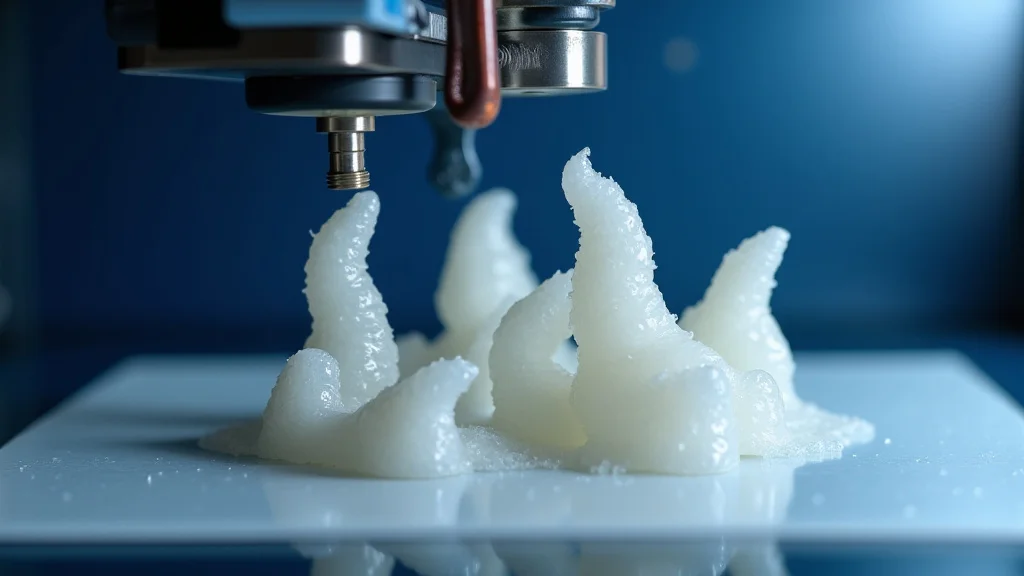
Ever had a print fail, ruining hours of work and leaving you frustrated? I recently experienced this when printing a complex model, only to find it warped and stuck stubbornly to the 3D printer bed. The culprit? A dirty build surface. Cleaning your printer bed is often overlooked, but it’s a vital part of the 3D printing process. This guide will walk you through everything you need to know about how to clean 3D printer bed effectively. You’ll learn the best methods, materials, and maintenance tips to ensure your prints always stick and detach properly, ultimately improving your print quality and preventing waste.
Importance of a Clean Build Surface
The build surface of your 3D printer, often the bed, is the foundation for every print. Its condition directly influences the success of your 3D printing endeavors. A clean bed ensures proper adhesion, preventing warping, and ensuring the first layer of your print adheres correctly. Contamination, like residual filament, dust, or oils from your skin, can interfere with this adhesion. Ignoring this element can lead to print failures, wasted filament, and time. Regular cleaning is therefore a basic requirement for anyone involved in 3D printing. A clean bed also helps extend the life of your printer’s build surface materials.
Why Bed Adhesion Matters
Good bed adhesion means your print stays firmly attached to the bed during the entire printing process. This is especially important for larger prints or those using materials that shrink as they cool. If the first layer doesn’t stick properly, the print can lift from the bed (warping), leading to failed prints. Poor adhesion also affects the dimensional accuracy of your prints, resulting in models that don’t match your design. When the initial layer sticks, the rest of the print is also more probable to stick, which improves your results.
- Reduced Warping: Warping is a common issue where the print corners lift off the bed. A clean bed helps minimize this.
- Better First Layer: A smooth, clean surface ensures the first layer is laid down evenly and uniformly, improving overall print quality.
- Preventing Print Failures: Adhesion problems are a leading cause of print failure. Regular cleaning can drastically reduce these issues.
Warping happens due to the cooling of materials, causing stress in the lower layers of the print. If the bed isn’t clean or doesn’t allow the initial layers to adhere correctly, these stresses will cause the corners or edges to lift. This leads to dimensional inaccuracies and print failure.
The first layer is the basis for the entire print. If the initial layer is uneven or has gaps, these imperfections will propagate through the entire print, decreasing its strength, precision, and the overall look.
Print failures are not only wasteful but can also cause damage to the printer itself, particularly the hot end. By keeping the bed clean, you’re investing in the longevity of your machine and avoiding potentially costly repairs.
Bed Types and Their Specific Needs
Different 3D printer beds need different cleaning approaches. Understanding the material of your bed is important for avoiding damage and getting the best results. Some beds are made from glass, others from metal, and some have special coatings. Applying the incorrect cleaning method can lead to issues with print adhesion or even harm the bed surface.
- Glass Beds: Glass beds are widespread and offer a smooth, flat printing surface. They’re typically cleaned with isopropyl alcohol and a soft cloth.
- Metal Beds: Metal beds, frequently made from aluminum or steel, are also easy to clean. Use isopropyl alcohol or acetone to remove build-up.
- Coated Beds (PEI, BuildTak, etc.): These beds have special coatings that improve adhesion. They typically require less aggressive cleaning and may need specialized cleaning solutions.
Glass is generally a robust surface, but it’s susceptible to scratches, which can affect print adhesion. The cleaning solution is often alcohol-based, and it helps remove any residue. Remember to let it dry before printing to prevent residue.
Metal beds are often used in heated bed setups, and they provide good heat transfer. Abrasive cleaners should be avoided, as they can scratch the surface. Ensure the bed is cooled before cleaning.
These coatings provide excellent adhesion without adhesives, but they are also more vulnerable to damage from harsh chemicals or abrasive materials. Always check the manufacturer’s directions for your specific bed.
Common Contaminants and Their Impact
Various things can contaminate your 3D printer bed. Understanding these contaminants and their impacts is a crucial step towards maintaining a clean bed. These contaminants can reduce adhesion and cause print failures, making regular cleaning a required aspect of 3D printing. Identifying the origin of the contaminants helps you choose the correct cleaning technique and prevent future problems.
- Residual Filament: Small bits of filament, left after a previous print, can interfere with new prints.
- Dust and Debris: Dust particles and other debris in the air can create a barrier between the print and the bed.
- Skin Oils: Oils from your fingers can transfer to the bed when you handle it.
When the extruder nozzle leaves the filament, some residual pieces may stick to the bed. If you don’t remove these remains, your printer nozzle will drag them around during the next print, potentially leading to errors. That’s why you have to clean them every time.
Dust can settle on the bed during printing or between prints. It can prevent the first layer from sticking correctly and causing imperfections in your print’s base. Always store filament and printers in a clean environment to reduce the presence of dust.
Even though you may not see it, the oils on your fingers are transferred every time you touch the bed. The oils can stop the filament from adhering correctly, which is why cleaning your bed is critical.
Effective Cleaning Methods for Your Printer Bed
Using the proper cleaning methods is essential for keeping your 3D printer bed in prime condition and promoting successful prints. The right method ensures that your bed is clear of contaminants and provides a perfect surface for your printed parts to adhere to. The recommended methods change depending on the materials and coatings on your printer bed, so it’s essential to understand the correct steps for your particular setup.
Isopropyl Alcohol (IPA) Cleaning
Isopropyl alcohol (IPA) is a go-to cleaning solution for many 3D printer beds because it’s efficient, safe, and easily accessible. It’s effective at dissolving oils and removing minor residues. Properly using IPA is key to keeping your bed clean without damaging it. This method works well for glass, metal, and some coated beds.
- Preparation: Gather a bottle of 90% or higher isopropyl alcohol, a clean, lint-free cloth (microfiber is ideal), and the bed cool and off.
- Application: Dampen the cloth with IPA, but don’t soak it. Wipe the entire bed surface gently, paying attention to any areas where residue is visible.
- Drying: Allow the bed to air dry completely. The IPA will evaporate quickly, leaving the bed clean and ready for printing.
Using a higher concentration of IPA (90% or more) guarantees that it evaporates rapidly, leaving no residue. Before cleaning, make sure the printer is off to avoid any electrical hazards, and wait for the bed to cool to prevent burns.
Excessive IPA can lead to streaks, so start with a lightly dampened cloth. Wipe in a consistent direction to ensure an even cleaning. Make sure all surfaces are covered without skipping any regions.
Avoid using paper towels or other materials that may leave behind fibers. If you’re in a rush, you can gently wipe the surface with a dry, clean cloth after the IPA has removed the residue.
Acetone Cleaning
Acetone is a stronger solvent than IPA, so it’s more effective at removing tougher residues and certain types of adhesives. However, because it’s more potent, you need to use it with care to avoid harming your printer bed. Acetone should generally be used on metal beds or beds that can handle its strong properties.
- Safety First: Perform the cleaning in a well-ventilated area and wear gloves, as acetone can be irritating to the skin and harmful to breathe.
- Application: Dampen a clean, lint-free cloth with acetone. Wipe the bed surface, but avoid using excessive amounts.
- Drying: Allow the bed to dry fully before printing. Acetone evaporates relatively quickly, but make sure no residue remains.
Acetone fumes are strong and can cause headaches or dizziness. Work in a space with ample ventilation. You should also use gloves to avoid direct contact with your skin, as acetone can dissolve some materials.
Use just enough acetone to moisten the cloth; do not pour the acetone directly onto the bed. Remove any stubborn residue by wiping gently, avoiding harsh scrubbing.
Acetone can harm certain bed materials, so be careful. Watch for any signs of damage and, if they appear, end the cleaning immediately.
Specialized Cleaning Solutions
Some beds have special coatings or are made from materials that need particular cleaning solutions. It’s crucial to know about these solutions, as they are formulated to work safely and efficiently with unique bed surfaces. Using the proper specialized cleaner can maintain the effectiveness of your bed and preserve its lifespan.
- PEI Bed Cleaners: PEI (Polyetherimide) beds, well-liked for their great adhesion, often do well with special cleaners designed for polymers.
- BuildTak Cleaners: BuildTak beds have unique surfaces that need specific maintenance.
- Follow Manufacturer’s Guidelines: Always refer to your printer’s manual or the manufacturer’s advice for the most suitable cleaning solutions.
These cleaners remove residue without damaging the PEI coating. Follow the manufacturer’s directions for application, which typically involves spraying and wiping with a soft cloth.
BuildTak is a popular material for adhesion. Using a specialized cleaner for BuildTak surfaces will efficiently remove residue, helping you maintain a consistent printing surface.
Using the wrong cleaning solution can damage your printer bed. Always check the materials and coatings and follow the recommendations.
Addressing Common Print Adhesion Problems
Even after cleaning your 3D printer bed, you might experience adhesion problems. Understanding and addressing these problems is key for successful prints. Often, the solution is not only cleaning but also tweaking the printing settings or using additional aids.
Leveling Issues
Incorrect bed leveling is one of the most common reasons for adhesion failures. A bed that isn’t level won’t allow the first layer to stick properly. A level bed guarantees that the nozzle is the correct distance away from the bed surface everywhere, which enables the filament to adhere uniformly.
- Manual Bed Leveling: Many printers have knobs you can use to adjust the bed manually.
- Auto Bed Leveling: Automatic bed leveling (ABL) uses sensors to create a map of the bed surface, and adjust as needed.
- Test Print: After leveling, run a test print (like a small square) to make certain the first layer adheres evenly.
Use the provided guide or the printer’s setup to make certain the bed is positioned correctly relative to the nozzle. Adjust the bed height until you get the perfect first layer.
Use ABL to compensate for any bed imperfections. Check and calibrate the ABL system frequently to ensure its precision.
The first layer should be slightly squished, with no gaps between the lines. If the lines are too far apart, lower the nozzle. If the nozzle is too close, lift it.
Temperature Settings
Temperature plays a key role in bed adhesion. The right bed and nozzle temperatures will help the filament melt and stick to the bed correctly. Wrong temperatures can result in warping and poor adhesion. The printing temperature will vary based on the material, so it is important to know the right settings for each one.
- Bed Temperature: Check the recommended bed temperature for your filament.
- Nozzle Temperature: The nozzle temperature also impacts adhesion. Ensure the nozzle temperature is set to the correct setting for your filament.
- Material-Specific Settings: Different materials need different temperature settings. PLA typically prints at lower temperatures than ABS.
Most filaments have an ideal bed temperature range listed on the filament spool or the manufacturer’s website. If the bed temperature is too low, the filament might not stick correctly.
The nozzle temperature impacts how the filament bonds to the bed. Higher temperatures can lead to better adhesion, but can also lead to more stringing and other imperfections.
PLA does not need a heated bed for basic applications, whereas ABS usually needs a bed with higher temperatures. Always check the filament instructions for best practices.
Additional Adhesion Aids
Sometimes, even with the bed leveled and temperatures correct, you might still need extra support for adhesion. These are solutions you can use to add a layer of adhesion between your bed and the first layer of the print. They help with adhesion, particularly when printing difficult materials.
- Glue Stick: A common and easy aid, glue sticks provide a layer that the filament can adhere to.
- Hair Spray: A fine mist of hair spray can increase adhesion.
- Adhesive Sheets: Build surfaces, like PEI or BuildTak, are good and often do not need extra helpers.
Apply a thin, even layer of glue stick to the clean bed surface. Make sure the glue is distributed evenly to avoid any imperfections.
Spray a light layer of hairspray on your bed and wait for it to dry. This creates a tacky surface that will aid adhesion. Use it only in a well-ventilated space.
These sheets stick to the bed and create a perfect surface for print adhesion. They are durable and can be replaced when needed.
Preventative Measures and Maintenance
Preventative steps are crucial to extend the life of your 3D printer bed and to minimize the need for frequent and thorough cleaning. Routine maintenance and safe handling will guarantee consistent print results and reduce the likelihood of adhesion issues. Here are some basic steps that you can use to improve the printer’s performance and also reduce problems.
Regular Cleaning Schedule
Setting up a routine for cleaning your 3D printer bed is essential for consistent print results and reducing the need for more in-depth cleaning. The cleaning frequency relies on how often you print and the type of materials you use. A consistent cleaning routine can help prevent build-up and maintain a clean bed, which will reduce print failure and extend the life of your printer bed.
- Before Each Print: Before each print, visually check the bed for any debris or residue. Wipe the bed down with IPA to remove anything that might be there.
- After Several Prints: Deep cleaning with acetone or specialized solutions is needed after several prints.
- Maintenance: Inspect your printer bed for damage or unevenness on a regular basis.
Even if the bed looks clean, a quick wipe with IPA can make sure that any oils or minor particles are removed.
If you see areas where the prints do not stick, this means it’s time for a deeper clean. The frequency of the cleaning will vary based on the usage.
Look for scratches, bumps, or any damage that may affect printing. If you spot any damage, repair or replace the bed as soon as possible.
Proper Handling and Storage
How you handle and store your 3D printer bed has a direct effect on its condition and cleanliness. Avoiding damage and contamination will help to keep the bed in great condition, making it last longer and improving the quality of the prints. Simple steps in handling and storing your bed can make a big difference.
- Avoid Touching the Bed: Minimize contact to avoid getting oils from your fingers on the bed.
- Protect from Dust: Store your printer in a dust-free environment or use a cover when it’s not in use.
- Safe Cleaning Practices: Use the right cleaning solutions and avoid any harsh materials that might harm the surface.
Use gloves when handling the bed if you can. If you touch the bed, make sure you clean it with IPA to remove any contamination.
Dust can settle on the bed and affect adhesion. Always store the printer in a clean, enclosed area to minimize dust accumulation.
Always use the recommended cleaning methods for your type of printer bed and follow the manufacturer’s instructions to prevent damage. Be sure to let the bed dry completely after cleaning.
Material-Specific Considerations
Different materials will produce different impacts on your printer bed, which also affects your cleaning routine and the overall quality of the prints. Knowing these differences will let you tailor your approach to the materials that you’re using most often, which reduces print failures. Using the right techniques can help with the particular challenges of each material.
- PLA: PLA is generally simple to print, but can occasionally benefit from a clean bed and a little adhesion support.
- ABS: ABS may be harder to print, and will need a heated bed and extra adhesion assistance.
- PETG: PETG often sticks well, but residue can be an issue, so cleaning is essential.
PLA usually adheres easily. IPA will often suffice, and glue stick is an excellent extra aid if you need to improve adhesion.
ABS tends to warp; make sure the bed is clean and at the appropriate temperature. Glue or ABS slurry will greatly improve adhesion.
Cleaning regularly will remove excess residue, and you may often need to adjust the settings to help with the adhesion.
Frequently Asked Questions
Question: How often should I clean my 3D printer bed?
Answer: It depends on how often you print and the materials used. Generally, clean the bed before each print with isopropyl alcohol. Do a deeper clean with acetone or a specialized cleaner after every few prints or when you notice adhesion problems.
Question: What’s the best way to remove old glue stick residue?
Answer: For glue stick residue, gently wipe the bed with a cloth dampened with water or isopropyl alcohol. If the glue is especially stubborn, you may need to use a plastic scraper, but be cautious not to scratch the bed surface.
Question: Can I use tap water to clean my printer bed?
Answer: While you can use tap water, it’s better to use distilled water or isopropyl alcohol to avoid leaving mineral deposits. Tap water can sometimes leave residue that affects print adhesion.
Question: What if my prints still don’t stick after cleaning?
Answer: Make sure your bed is properly leveled, and double-check your temperature settings for the filament you’re using. You might also want to try using a brim or raft in your slicing software or add an adhesion aid like glue stick or hairspray.
Question: Is it safe to use acetone on all 3D printer beds?
Answer: No, acetone is a strong solvent that can damage certain bed materials like PEI or some coated surfaces. Always check your printer’s manual or the manufacturer’s recommendations to determine if acetone is suitable for your bed.
Final Thoughts
Keeping your 3D printer bed clean is a key step towards achieving consistent, high-quality prints. As we’ve explored, the cleaning process is important for optimal print adhesion, which, in turn, affects the overall print quality and reduces waste. Knowing the correct cleaning methods, whether using isopropyl alcohol or acetone, as well as the right materials, will guarantee that your printer bed remains in perfect condition. Don’t forget to add preventative steps, like a regular cleaning schedule and correct storage, to help preserve your bed and enhance your printing experience. Armed with this knowledge, you can confidently tackle any 3D printing project.

